

App Host
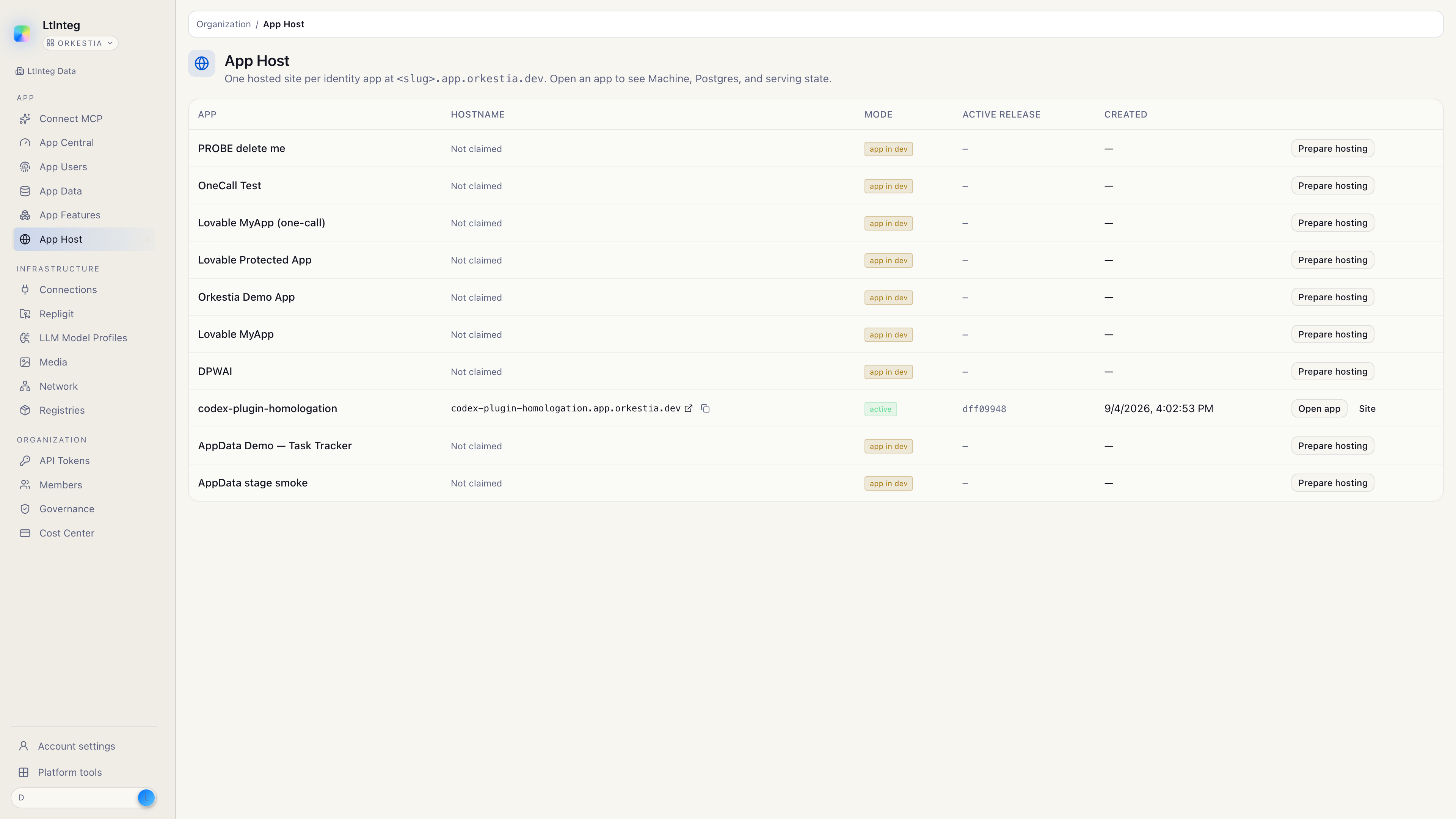
App Host is where your app goes live. You claim an address, publish a website, attach the app's database, and optionally turn on Buzz (a Nostr relay) for authenticated realtime clients.
This guide is for people using the Orkestia console. To declare tables and expose them to signed-in users, see App Data and App Enablement.
dev app is localhost-only and cannot back https://<slug>.app.orkestia.dev. See Your app and site.What you get
Your App (sign-in + users)
  ├─ Website     https://<slug>.app.orkestia.dev
  ├─ App Data    tables and records for that app
  ├─ Files       org-member objects on site MinIO (apphost.file.*)
  ├─ Query       admitted SQL and a read-only database login
  └─ Buzz        wss://buzz-<slug>.orkestia.dev   (Nostr, not a chat HTTP API)
Open it in the console
- Sign in at app.orkestia.dev.
- In the sidebar, open App Host (or go to
/apphost). - You will see one row per Identity app. A site that is not claimed yet says Not claimed.
You need an Identity app first. App Host serves one hosted site per app. One Identity app also maps to one AgentConfig — a second agent product is a second Identity app.
Two public hostnames
Keep these separate. They are not interchangeable.
| What | Address | What it is |
|---|---|---|
| Website | https://<slug>.app.orkestia.dev | Your frontend (static zip on the edge, and/or a process). This is what people open in a browser. |
| Buzz | https://buzz-<slug>.orkestia.dev | A Nostr relay. Clients connect with wss:// and AUTH with NIP-42. This is not your website and not a Chat Relay HTTP API. |
A zip release never becomes the Buzz relay. Turning Buzz on never steals the website address (apphost-web vs apphost-addon-buzz).
What you do not manage
App Host runs on Orkestia's shared pool. You do not bring a Kubernetes config, a Helm chart, or a database password to paste into the console.
- Postgres for the app is App Data, not a database you install next to the site.
- Buzz includes a relay plus Redis and MinIO. Those stay on the site. Postgres stays App Data. Org-member Files reuse that MinIO (
apphost.file.*); they are notstorage.*and notdata.appdata.document.*. - Secrets such as the relay key and the process database URL stay on the platform. The console shows you how to connect, not the private material.
- Signing keys (nsec) are yours. Copy them once from Signing Keys.
Typical first week
Provision the app
Create the Identity app so users can sign in. Start in dev for localhost, then go live before you claim a public site.
Claim the site
In App Host, open the app and claim a slug. That reserves https://<slug>.app.orkestia.dev (apphost.site.claim). The slug is immutable.
Publish the website
Ship a frontend release to the site host, or launch a container (apphost.web.deploy / apphost.source.launch). See Website and process.
Attach App Data when something needs Postgres
Image launch and Buzz read the app's App Data instance. Attach it from the Postgres tab. Browse records in App Data; run SQL in Query.
Set up Buzz only if clients need Nostr
Open the Buzz tab and choose Set up Buzz. Create or import an nsec, bind owner, then point your own subdomain at the Orkestia Buzz host. See Buzz.
Put app files on the Files tab after Buzz is up
Identity app → Files. Org members upload to site MinIO. See Files.