

App Data
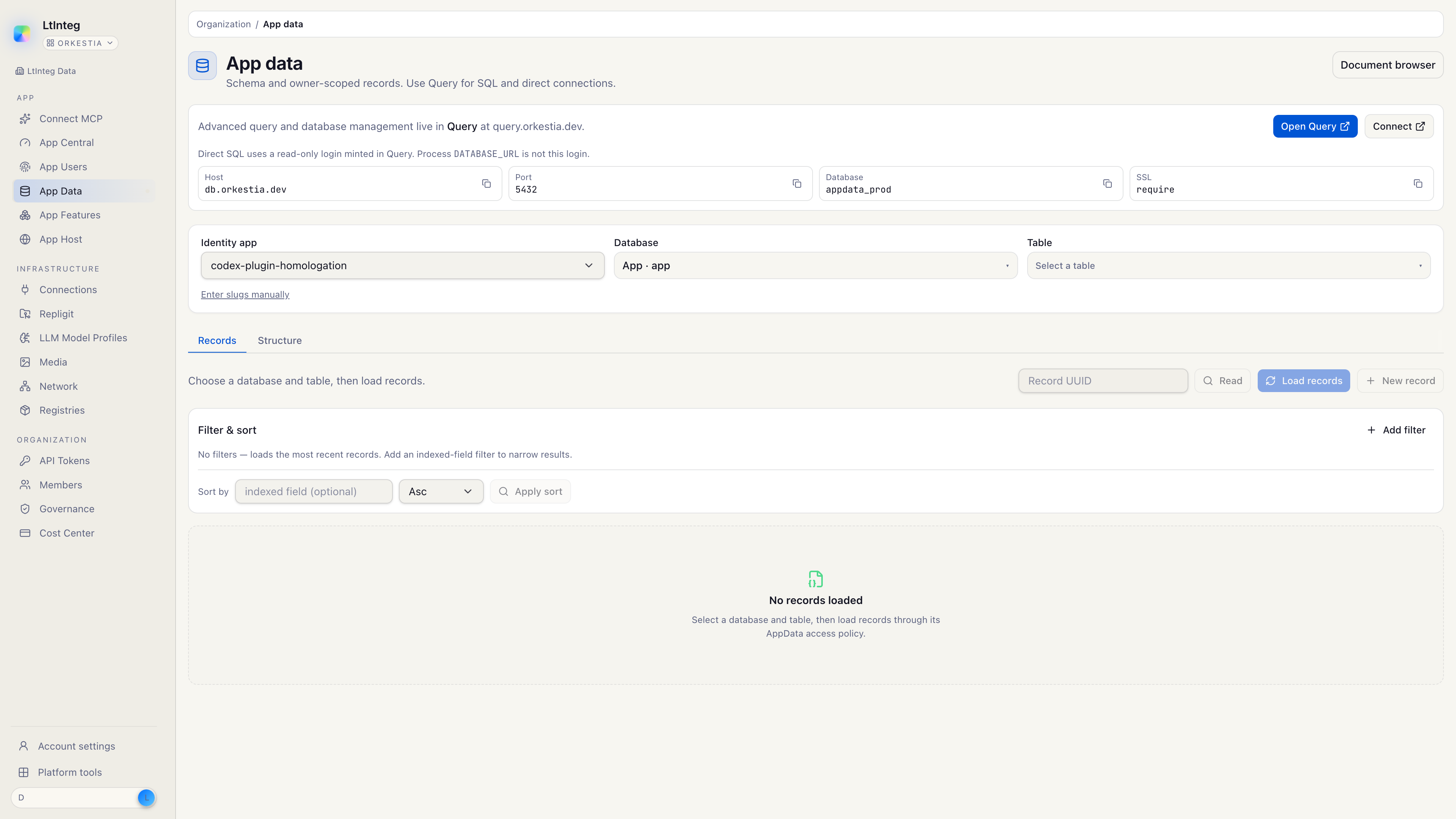
App Data is the database that belongs to your app. Users and workflows read and write records. You do not paste a database password into your frontend.
The catalog (declared tables) is keyed by Identity app. The physical Postgres is a serving instance: still on the shared plane, or a dedicated dbhost instance after provision. Attach from this tab is what mints the process login.
Three surfaces, one database
People often mix these up. They are three doors into the same App Data instance.
| Surface | URL | What you do there |
|---|---|---|
| App Data | app.orkestia.dev/app-data | See structure (databases, tables, fields) and owner-scoped records |
| Query | query.orkestia.dev | Admitted SELECT and a read-only login for tools such as a GUI client |
| App Host → Postgres | Site → Postgres tab | Attach the instance so a launched process or Buzz can use it (appdata.credential.ensure-app) |
Open App Data
- In the console, open App data (or go to
/app-data). - Select the Identity app.
- Choose a database and table to browse records, or open structure to review fields.
Use Open Query when you need SQL. Use Document browser when the app stores documents rather than tabular rows.
Attach Postgres to the site
Image launch and Buzz need the app's instance available as DATABASE_URL on the site. You attach it; you do not create a second Postgres.
Open the site
From App Host, open the claimed site.
Open the Postgres tab
The tile shows whether an instance is already attached.
Click Attach
Confirm the action. The console follows provision and apply. When it finishes, the tile shows the App Data instance.
Re-attach rotates the process login. Schema and records stay where they are.
What App Data is not
- It is not Neon, and it is not a database pod you install next to Buzz.
- It is not Cloud Deploy's site (that product stores static files in your AWS account).
- It is not a place to put cloud provider credentials.
- It is not the Identity app Files tab. Those objects live on site MinIO (
apphost.file.*), not in Postgres. See Files.
Ownership
Records are owner (one signed-in user), app (shared catalog), or organization (the active workspace). The platform resolves that from the signed-in principal. Callers do not send ownership UUIDs.
If you are declaring tables and exposing them to users, see App Data. This page is the console and App Host view of the same system.
Related
- End-user data — how a signed-in user only ever touches their own rows
- Buzz — the Nostr relay uses this same App Data instance (not a second database)
- Files — org-member objects on MinIO, not App Data rows
- Query — admitted SQL and the read-only connect dialog
- Instances —
sharedvsdbhost, provision and migrate