

Your app and site
An app in Orkestia is the product your users sign into. App Host is the place that product is served.
The pieces
| Piece | What it is | Where you see it |
|---|---|---|
| Identity app | Sign-in, users, and which workflows the browser may call | Identity in the sidebar |
| Hosted site | The reserved public address for that app | App Host |
| Slug | The short name in the hostname | Chosen when you claim the site |
| Machine | Always-on capacity when a process or Buzz needs to stay up | The Machine tile on the site |
One Identity app has at most one hosted site. Claim it once. Do not create a second slug for Buzz.
One Identity app also has one AgentConfig. If you need two agent products (for example an "app" agent and a "legacy" agent), provision two Identity apps — and usually two sites. Do not share one app's virtuals or AgentConfig across both.
Live mode is required
New Identity apps start in dev: localhost redirect URIs and a small allow-listed email set. apphost.site.claim and apphost.release.publish require the app to be live.
Graduate with identity.app.set-mode (mode=live). That switch is one-way. Every registered redirect_uri must already be a live HTTPS URL (or you pass the live URIs in the same call). Localhost leftover URIs fail the switch by name.
Publish and custom domain attach append https://<host>/callback to the Identity app client. If your SPA uses another path (for example /app/), add that path with identity.app.configure-client — App Host will not guess it.
Claim the site
Open App Host
From the sidebar, click App Host, or go to https://app.orkestia.dev/apphost.
Open the app row
Each row is an Identity app. If the site is not claimed, the hostname column says Not claimed.
Choose a slug and claim
The slug becomes:
https://<slug>.app.orkestia.dev
Use lowercase letters, numbers, and hyphens. This is the public website address. It is not the Buzz address.
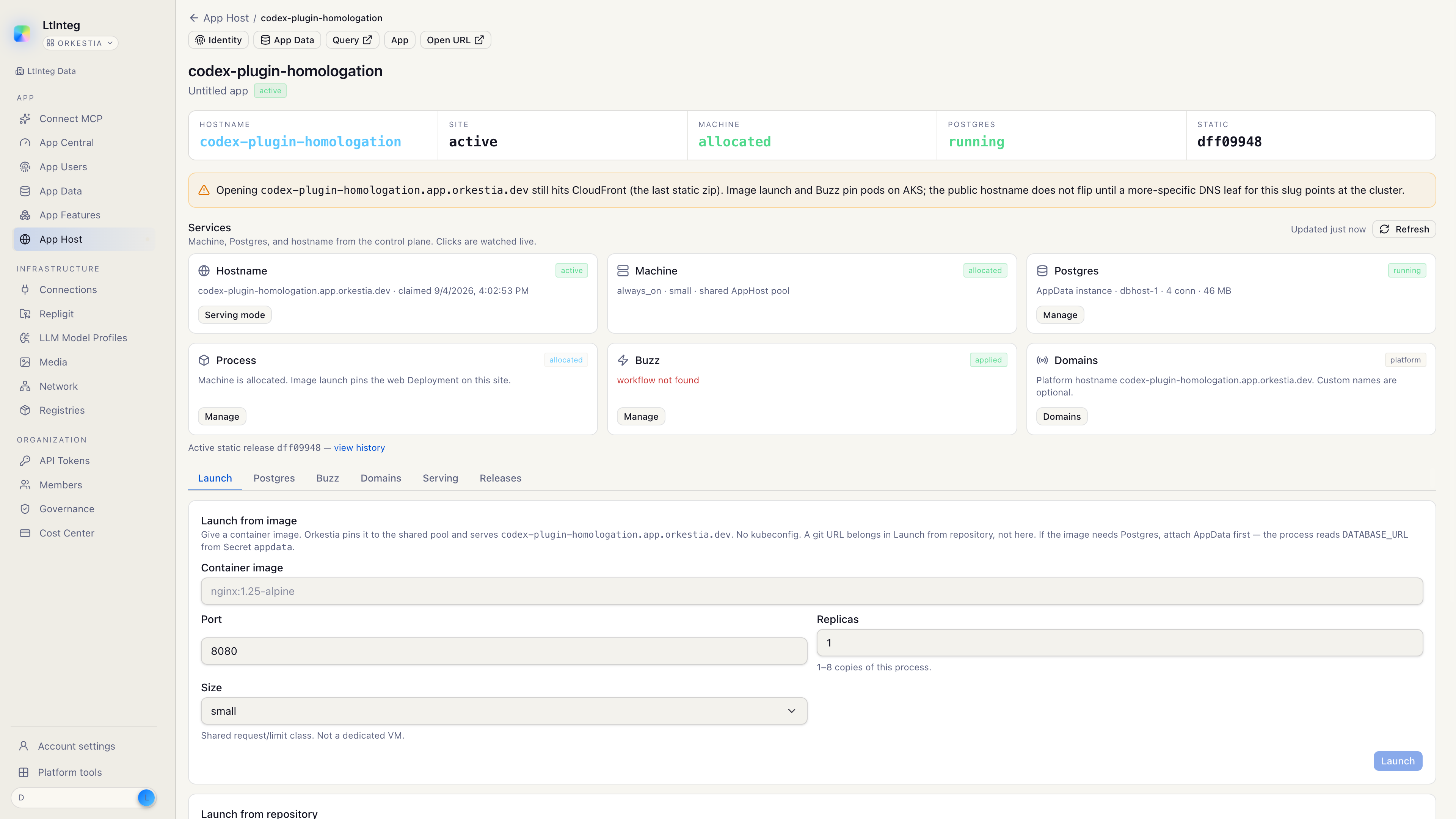
After the claim, the site page is the workspace: tiles for Machine, Postgres, and Buzz, then tabs for Launch, Postgres, Buzz, Domains, Serving, and Releases. Org-member file storage is the Identity app Files tab — see Files.
What “claimed” means
Claiming reserves the hostname and ties it to that Identity app. It does not by itself:
- publish a frontend;
- start a container;
- create tables;
- turn on Buzz.
Those are later actions on the same site.
Serving modes
The Serving tab chooses what visitors hit on the website host:
| Mode | Visitors get |
|---|---|
| Active | The published zip or the launched process, depending on what you deployed |
| Redirect | An HTTP redirect to an address you set |
Buzz has its own host. Changing serving mode does not move the relay.
Related
- Sign in with Orkestia — provision the Identity app, then go live
- Website and process — put something on the site host
- Files — org-member objects on site MinIO
- Signing keys — nsec for Buzz owner AUTH
- App Enablement — Sign in with Orkestia and exposed workflows
- DevKit — local CLI for compositions and publish helpers